
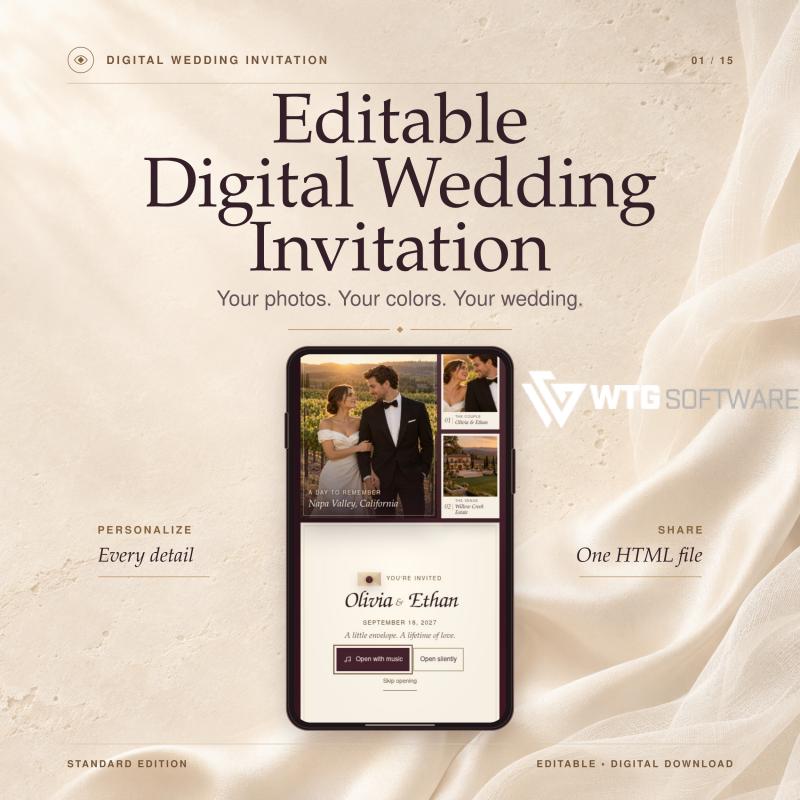
The envelope opens. Your photos appear. The day you say “I do” feels a little closer.
This editable digital wedding invitation pairs an animated envelope with your photos, a live wedding countdown, and a built-in RSVP form. It has the feel of a one-page wedding website, and it comes in a single HTML file guests can open offline. Add your own song to the opening or let guests enjoy it silently.
MAKE IT YOURS
• Create a personalized wedding invitation. Add your full names, a custom monogram, and your wedding date. Edit the wedding invitation wording, choose calligraphy or classic serif lettering, and see how it all looks in the live preview.
• Match your wedding color palette. Pick any primary and accent colors in the color picker. The vineyard wedding invitation design comes in warm ivory and burgundy, and you can set your own wedding colors for a garden wedding, a destination wedding, or an intimate wedding.
• Make it a photo wedding invitation. Add five or more engagement photos or snapshots to the couple photo gallery. Guests can pause the scrolling filmstrip or tap a frame for a closer look. To create a wedding invitation with music, upload your own MP3 or use the included instrumental track.
GIVE GUESTS THE DETAILS
• Show how close the big day is. The countdown timer displays days, hours, minutes, and seconds until the start time you set in your venue’s time zone.
• Show guests where you’ll celebrate. Add at least three wedding venue photos to the venue photo gallery. Include the venue address, dress code, and an editable wedding schedule with your wedding day timeline, from the wedding ceremony to the last dance at your wedding reception.
• Send a wedding invitation with RSVP built in. Set the RSVP deadline in the editor. In the wedding RSVP form, guests can accept or decline, enter their name and guest count, and add a note. They copy their reply or download it as a text file, then send it to you directly. The Standard Edition does not collect or track replies automatically.
DOWNLOAD, PERSONALIZE, AND SHARE
-
Download and unzip the wedding invitation template. Start the invitation editor on your computer. A Windows launcher is included; Mac and Linux require Python 3. You can personalize the design without coding.
-
Click Save Changes, then Download Invitation. Your finished HTML wedding invitation is automatically named after the two of you. Photos, fonts, and optional music are embedded in one self-contained HTML file.
-
Share your digital wedding invite as an attachment. Guests download it and open it in a compatible browser or HTML viewer that supports JavaScript. Once saved, this offline wedding invitation opens without Wi-Fi or mobile data. It’s designed for phones, tablets, and computers; some in-app previews show only a static page. No web hosting or subscription is required.
WHAT YOU’LL RECEIVE
A ZIP with the editable template, local editor, setup guide, sample photos, and an instrumental track. This paperless wedding invitation is a digital download. No physical item will ship. AI assisted in the template’s development and was used to create the sample photos.
The digital wedding invitations we remember are the ones that feel like the couple. Start with a favorite photo and a song you both love, and turn them into an animated wedding invitation guests can keep.


